Speechify – Text to Speech
- 4.0
- Rating
- 10.00M
- Installs
- Free
- Price

 Analysis by App-foxy
I found Speechify most useful when reading is the task that gets in the way of understanding. It turns written material into spoken audio, so a long document, book, or PDF can be approached with your ears instead of your eyes. That sounds simple, but in daily use it changes the situations in which reading is possible: I can listen while resting my eyes, follow text when concentration is limited, or review material during a walk rather than staying fixed to a screen.
This is a free productivity app from Speechify - Voice AI Assistant, with optional in-app purchases ranging from $0.49 to $139.99 per item. It is aimed at Everyone, runs on Android 9 or later, and its current version is 5.38.6702. The app has built a substantial audience, with over 10 million installs, an average rating of 4.1 from around 269 thousand ratings, and roughly 9.1 thousand written reviews. Those figures suggest a mature, widely used tool, although they do not remove the need to decide whether its reading workflow suits you.
How clearly the reading experience works
I use Speechify to make written material easier to approach when staring at a page is not the best option. In this section, I look at how the handoff from text to speech affects comprehension, especially when a document is dense or unfamiliar. A useful next question is how that listening workflow fits different abilities and everyday settings.
You May Also Like

 Blood Strike: 2.5 Anniversary
Blood Strike’s Loadouts Turn Every Drop Into a Tactical Gamble
A close look at Blood Strike’s custom loadouts: how fast access to signature weapons reshapes its battle royale rhythm, rewards preparation, and narrows the gap between fights.

 Pandora - Music & Podcasts
Pandora’s Music Is Easy to Start, but Harder to Recover
Pandora’s strength is its low-effort path from a seed to a station. Its weak spot is how much confidence it asks you to place in connection, setup, and quiet recovery.

 8 Ball Pool
 Is Built on Rivalries, Rematches, and Routine
A close look at the rivalries, rematches, shared routines, and unanswered safety questions that turn a quick pool match into a persistent mobile community.

 Samsung Music
’s Quiet Strength Is Playing What You Already Own
Its reach comes less from spectacle than from dependable access to a personal library. That simplicity is both the app’s strongest retention engine and its ceiling.

 AccuWeather: Weather Radar
AccuWeather Review: A Quick, Clear Forecast for Everyday Decisions
For everyday plans, the best forecast is the one you can understand quickly. AccuWeather makes rain timing, radar, and local conditions easy to act on, with a few trade-offs.

 Hill Climb Racing
Why Hill Climb Racing Still Turns Crashes Into One More Run
A tiny car, a bumpy hill and one more upgrade: Hill Climb Racing keeps resurfacing because its simple chaos makes every near-miss feel personal.
More From Our News Desk



Navigation that keeps the main task visible
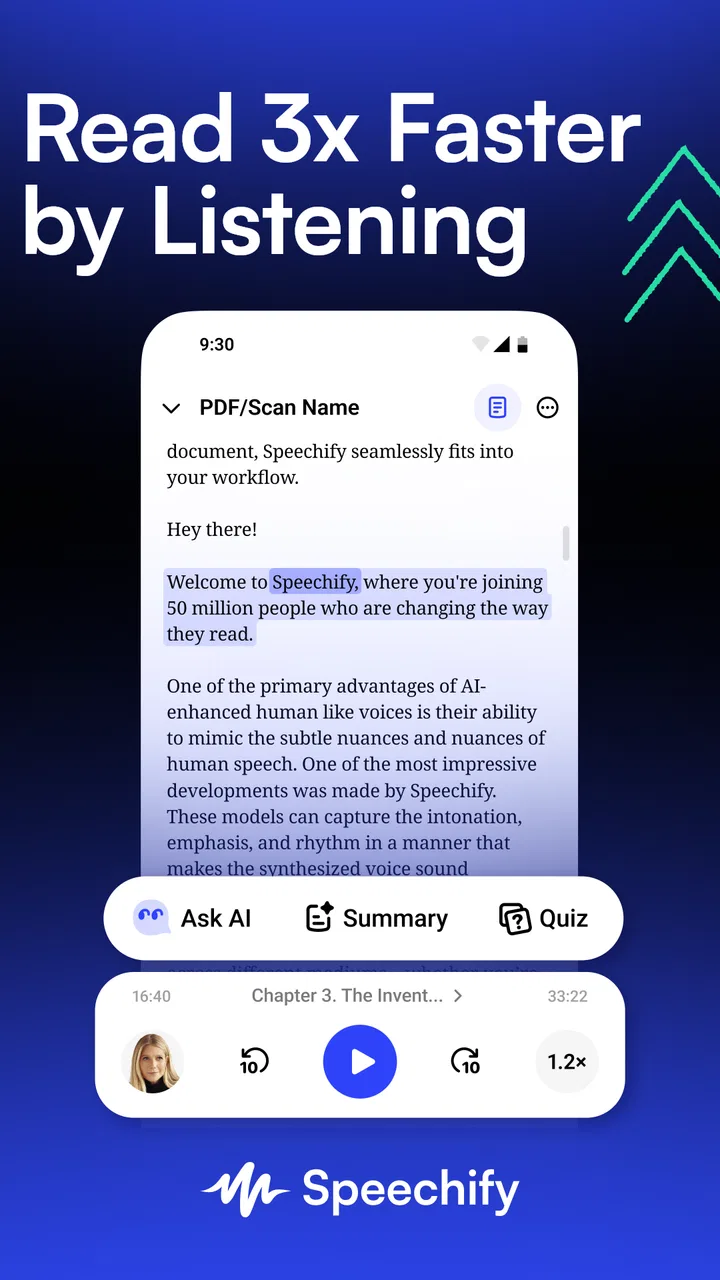
The central idea is easy to understand: bring in text, choose to have it read aloud, and follow along if that helps. I appreciate that the app is not limited to one type of material. It is designed around documents, books, and PDFs, while also presenting itself as a voice assistant and a way to engage with AI podcasts. That wider scope makes it more useful than a basic screen reader built into a phone, especially when my source material is scattered across different formats.
For a new user, the important question is not whether the app can speak, but whether the journey from a page to playback feels manageable. Speechify works best when I treat it as a reading workspace rather than as a general audio player. I prepare the material first, then use the playback screen to control attention. That separation matters because reading and listening are different activities: importing or locating a document is a visual task, while consuming it can become largely auditory.
I also find the read-along approach valuable. Hearing words while seeing them can support people who lose their place, process dense paragraphs slowly, or want reinforcement between written spelling and pronunciation. It is not a replacement for every visual reading method, but the combination gives me another route through difficult material. For a learner, the ability to listen and track the text can make an intimidating chapter feel more approachable than silently scanning it.
The voice AI assistant angle gives the app a broader role than a conventional text-to-speech utility. In practice, I would use that side when I want help engaging with information rather than merely hearing every line. Still, I would keep expectations practical: a spoken assistant can make content easier to access, but it does not automatically make complicated writing clearer. When a document is poorly structured, the listening experience can remain confusing even if the voice itself sounds natural.
Useful workflows for real reading habits
One of the better workflows is to use Speechify before a demanding reading session, not only during it. I can listen to a few pages to understand the structure of a report, then return to the screen for details. This is a helpful compromise for people who find a full audio conversion tiring but need support getting started. It also prevents the common mistake of assuming that text-to-speech must replace reading completely.
Another practical use is reviewing material I have already read. Listening exposes awkward wording, repeated ideas, and gaps in my understanding in a different way from silent reading. For writers, students, and anyone checking a long document, this change of channel is genuinely useful. I would not call it a proofreading tool by itself, but it can reveal problems that are easy to overlook when the eyes are moving quickly.
For books and longer documents, I recommend treating sessions as manageable portions. Audio can create the illusion that information is being absorbed effortlessly, while attention may quietly drift. Pausing at natural breaks, making a short note, or returning to the displayed text helps keep listening active. Speechify makes the material available in a more flexible form; it cannot supply concentration that the listener has not brought to the session.
Where it compares well with ordinary alternatives
Phone accessibility tools are often excellent for reading whatever is currently on the screen, but they can feel too broad when I want a dedicated reading routine. Speechify is more focused on turning saved or selected written material into something I can listen to. That focus is its main advantage over relying only on built-in voice features.
On the other hand, a built-in screen reader may be the better choice for navigating menus, buttons, messages, and unfamiliar apps. Speechify should not be treated as a complete replacement for operating-system accessibility controls. Its strength is content consumption, particularly when the source is a document, book, or PDF, rather than full device navigation.
It also differs from ordinary audiobook apps. An audiobook is normally produced as a finished performance, while Speechify starts with written material and generates spoken output from it. That makes it more adaptable for personal documents and reading matter that has no professionally recorded edition. The trade-off is that the result may not have the expressive interpretation or editorial polish of a human-narrated audiobook.
Access across abilities and everyday situations
I find the app’s flexibility most meaningful when someone can choose between listening and following the words on screen, rather than being pushed into one mode. Here, I consider the practical trade-offs: audio can ease sustained visual effort, but layout-heavy material and noisy surroundings may still call for another approach. That context helps show where Speechify can support access—and where it works best alongside other tools.
Motor and sensory considerations
Speechify can reduce the amount of continuous visual attention required for reading. Someone dealing with eye fatigue, temporary discomfort, limited stamina, or difficulty maintaining focus may benefit from moving the reading burden into audio. In my experience, this is most effective when I use the screen only for orientation and let playback carry the longer passage.
It can also help when holding a phone steady or repeatedly scrolling is uncomfortable. Once the material is ready, listening requires fewer precise touch actions than reading line by line. That does not mean every interaction disappears: choosing content, starting playback, pausing, and changing position still involve controls. The advantage is that those actions are separated by longer periods of hands-free attention.
For people with hearing loss or auditory processing difficulties, the visual text remains important. I would use the displayed words as an anchor rather than depending on audio alone. The reverse is true for someone who finds visual decoding exhausting: the spoken track can become primary, with the text available for occasional checking. This flexibility is one of the app’s strongest inclusive qualities, because it supports mixed modes instead of forcing a single way to consume content.
Voice choice and listening speed can affect comfort, but I would approach those controls experimentally. A faster pace may help with familiar material and waste less time, while a slower pace can be better for technical writing or second-language reading. The right setting is not necessarily the most natural-sounding one; it is the one that lets me retain meaning without making the session feel rushed.
There is also a sensory trade-off. Audio is helpful only when the surrounding environment allows it. In a quiet room, speech may be clear and relaxing; in traffic, a busy workplace, or a crowded household, the same reading session can become tiring. Headphones may solve the noise problem for some people, but they introduce their own comfort and awareness considerations. I would never assume that listening is automatically easier than looking at text.
Situational access beyond the desk
A realistic example is a commuter who receives a lengthy PDF before leaving home. Instead of trying to read the entire file on a moving train, they can prepare it in Speechify and listen to the main sections during the journey, then inspect important passages later. I like this workflow because it turns spare time into an overview session without pretending that audio is ideal for every detail.
Another example is someone recovering from a migraine or a period of visual overload. They may still want access to a chapter or work document but cannot comfortably stare at a bright screen. Listening provides a temporary bridge. The app does not diagnose or treat anything, and it should not be presented as medical support, but as a practical reading option it can make information less dependent on uninterrupted screen use.
It is equally helpful for people who learn better through repeated exposure. I can listen to an unfamiliar passage once for its general meaning, then replay selected parts while looking at the words. This is more deliberate than simply pressing play and hoping the content sticks. For language learners, hearing pronunciation alongside written vocabulary may be useful, though the app should complement rather than replace instruction and conversation.
Parents, caregivers, and support workers may also find value in shared listening. A person who cannot comfortably read a document alone can listen with another person and pause for discussion. That creates a more social workflow than handing over a page and expecting independent navigation. The important point is that Speechify can support participation, but the quality of that experience still depends on the document, the voice, and the listener’s needs.
Remaining barriers and practical compromises
The first barrier is content quality. A clean, well-structured text source is much easier to convert into a pleasant listening session than a complicated PDF with columns, unusual spacing, or scanned pages. When the underlying text is difficult to interpret, spoken output can become awkward or confusing. I would always test a short section before committing to a long document, especially when the material is important.
The second barrier is the difference between accessibility and convenience. Hearing text aloud can remove one obstacle, but it may make other tasks harder. Tables, footnotes, references, diagrams, equations, and formatting often carry meaning that audio cannot reproduce as naturally as a page. For those materials, I would combine Speechify with the original document and switch between modes instead of listening from beginning to end.
Cost is another consideration. The app itself is free, but optional purchases can become significant depending on what a person chooses. I would start with the free experience and decide whether the extra value justifies spending, particularly if I only need occasional text-to-speech. Someone who requires a completely predictable, no-purchase workflow may prefer the accessibility tools already included with a phone or computer.
There is also a learning curve in building a reliable routine. New users may expect every document to become perfect audio immediately. A better approach is to test the source, adjust the reading pace, keep the text visible when accuracy matters, and use shorter sessions for dense material. These habits do more to improve the experience than simply choosing a different voice and pressing play.
I would skip Speechify if my main need is full control over every element of a device interface, because a system screen reader is more appropriate for that job. I would also choose a traditional audiobook service when I want a performance rather than generated narration. And if I mostly read short messages or web pages, installing a dedicated productivity app may add unnecessary steps compared with the phone’s existing tools.
Who will get the most from it
The best match is someone whose reading needs change from situation to situation: a student alternating between textbooks and revision, a professional reviewing reports, a person managing visual fatigue, or a reader who wants audio support without limiting themselves to commercially recorded books. The app is particularly convincing when the material already exists as a document or PDF and the user wants to move between listening and looking.
It is less convincing for someone who dislikes synthesized narration, needs highly precise access to complex layouts, or expects every interaction to be hands-free. It also may not suit a reader who wants a simple, one-purpose tool with no assistant or podcast-related scope. Speechify’s breadth is useful, but breadth can feel like extra surface area when all I want is a basic read-aloud button.
My overall view is positive, with a clear qualification: its inclusive value comes from giving written information another route, not from making every source effortless. I like the way it supports audio, visible text, and flexible reading situations in one productivity-focused app. The 4.1 average from its large user base reflects a generally strong reception, while the less-than-perfect score also feels believable given the differences between clean text and difficult documents.
Speechify - Voice AI Assistant is worth trying if reading aloud would remove a real barrier in your day. I would begin with a document I already know, compare listening with silent reading, and see whether the controls and voice keep me oriented. If they do, the app can become a practical companion for study, work, recovery days, and mobile reading. If your needs are mainly device navigation, complex visual layouts, or professionally narrated books, another tool will probably serve you better.
FAQs for Speechify – Text to Speech
01What is Speechify and how does it work?
Speechify is a text-to-speech (TTS) app that converts written text into spoken words, making it easier for users to consume content on the go. Users can upload documents, PDFs, or web pages, and the app reads them aloud using natural-sounding voices. It’s ideal for multitasking or assisting those with reading difficulties.
02Is Speechify compatible with both Android and iOS devices?
Yes, Speechify is available for both Android and iOS platforms. Users can download it from the Google Play Store or Apple App Store. The app is designed to work seamlessly across different devices, allowing you to access your library and continue listening from where you left off.
03Can I customize the reading speed and voice in Speechify?
Absolutely, Speechify allows users to personalize their listening experience. You can adjust the reading speed to match your preference, whether you want it slow for deep understanding or fast for quick consumption. Additionally, there are multiple voice options available, including different accents and tones.
04Does Speechify support multiple languages?
Yes, Speechify supports multiple languages, making it accessible to a wider audience. Users can select from a variety of languages for both text input and speech output, catering to diverse linguistic needs. This feature is particularly useful for language learners and international users.
05Is there a free version of Speechify, and what features does it include?
Speechify offers a free version that includes basic text-to-speech functionalities. Users can convert text from various sources and listen to it with a limited selection of voices and speeds. For advanced features like premium voices, higher speeds, and offline access, a subscription to the premium version is required.
Pros
- User-friendly interface enhances accessibility.
- Wide range of voice options available.
- Supports multiple languages for global use.
- Syncs seamlessly across devices.
- High-quality
- natural-sounding voices.
Cons
- Premium features require a subscription.
- Occasional lag in text processing.
- Limited free version functionality.
- Requires internet for voice downloads.
- Voice customization options are minimal.

Speechify – Text to Speech
Gallery